Introduction
For startups, HR work grows faster than the team that manages it. Founders and early operators spend hours answering repetitive employee questions, scheduling onboarding, routing policy requests, and keeping track of forms. An Enterprise AI-based HR assistant can reduce that burden by handling common requests with consistent, policy-aware responses.
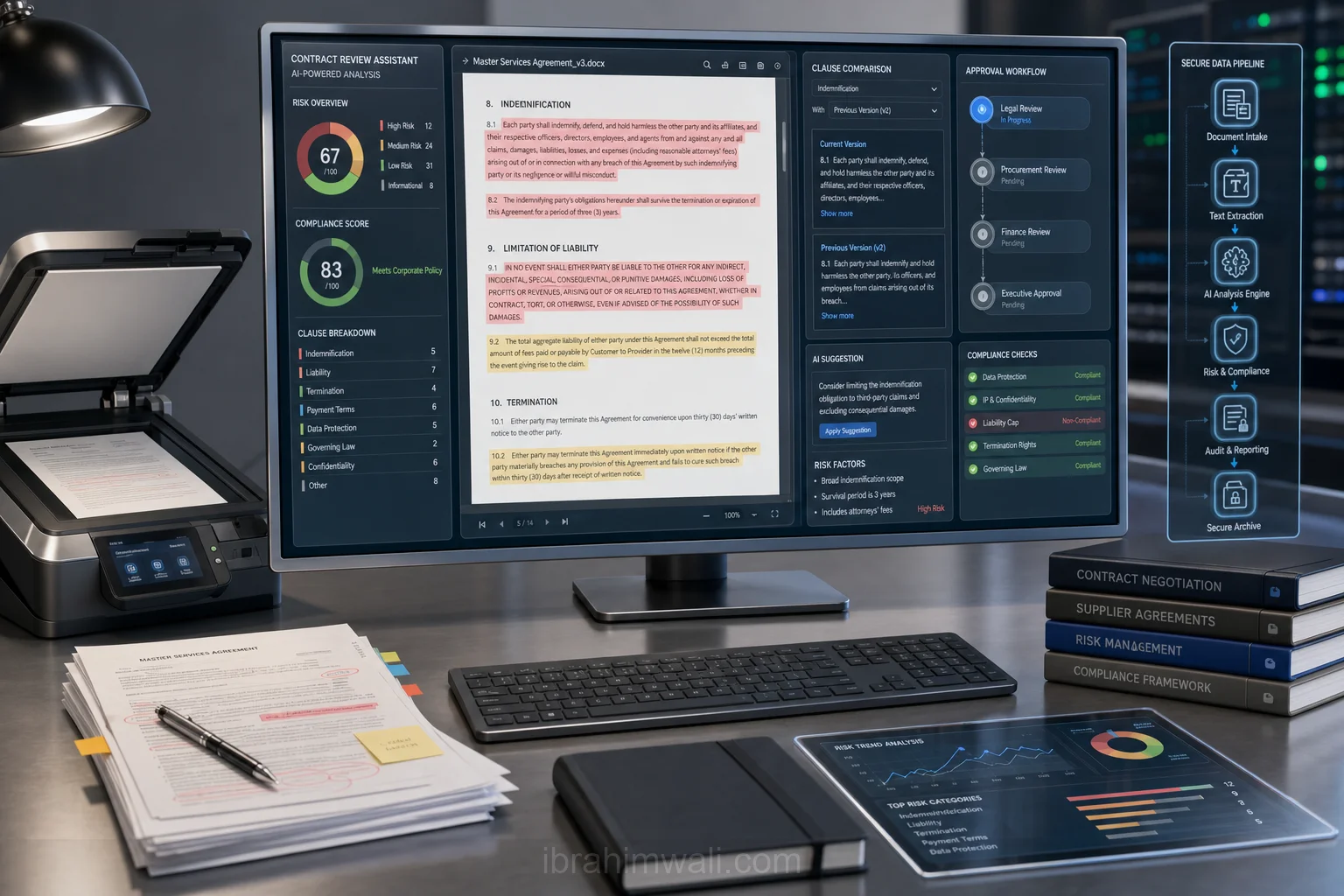
An AI HR assistant for startups is not just a chatbot. It is an internal service layer that combines AI Agents, document retrieval, workflow automation, and approval logic to support HR operations. When designed well, it can improve response times, reduce manual errors, and create a more reliable employee experience without requiring a large HR team.
This article explains how to design an AI HR assistant for startups, what problems it solves, and how to implement it safely in an enterprise context.
Problem Statement
Startups usually face a predictable set of HR problems:
-
Repeated employee questions Questions about PTO, payroll dates, benefits, remote-work policies, and onboarding steps appear daily. HR teams answer the same questions many times.
-
Fragmented knowledge Policies live in Notion, Google Drive, Slack, PDFs, and email threads. Employees do not know where to look, and answers often vary by source.
-
Manual workflows Updating employee records, creating onboarding checklists, routing approvals, and sending reminders are often done manually.
-
Inconsistent policy enforcement Different managers may interpret policies differently. This creates confusion and compliance risk.
-
Limited HR bandwidth Startups rarely have a full HR operations team. The founder, office manager, or people ops lead becomes the default help desk.
These problems make HR a strong candidate for Business Automation. However, a simple FAQ bot is not enough. A startup needs a system that can understand context, retrieve current policy documents, and safely execute workflows. That is where Enterprise AI becomes useful.
Solution
The best approach is to build an AI HR assistant around three capabilities:
- Answering questions from trusted sources
- Executing routine HR workflows
- Escalating sensitive issues to humans
A practical implementation uses retrieval-augmented generation (RAG) for policy answers, AI Agents for task execution, and Machine Learning only where it adds measurable value, such as intent classification or document routing.
Core use cases
An AI HR assistant for startups should handle:
- PTO and leave policy questions
- Benefits enrollment instructions
- Onboarding checklists
- Employee handbook navigation
- Payroll calendar questions
- Request routing for HR approvals
- Document collection reminders
- Offboarding task coordination
Design principles
-
Source-of-truth first The assistant should answer only from approved documents and systems.
-
Action with guardrails It can create tickets, send reminders, or update records, but only through approved workflows.
-
Human escalation for exceptions Anything involving legal risk, compensation changes, harassment, or termination should be routed to HR or leadership.
-
Auditability Every answer and action should be logged with source references and timestamps.
-
Role-aware access Managers should see different data than employees. Sensitive records must be permissioned.
Architecture or Framework
A robust startup HR assistant can be built with a layered architecture.
- Interface layer
Employees interact through Slack, Microsoft Teams, or a web portal. For startups, Slack is often the fastest adoption path because it matches how teams already communicate.
- Authentication and authorization
Before responding, the assistant checks identity and role. This matters for: - employee-only information - manager-only approvals - confidential HR cases
Use SSO if available. At minimum, map Slack user IDs to employee records.
- Intent router
The router classifies incoming requests into categories such as: - policy question - workflow request - sensitive issue - unknown
This can be implemented with simple rules plus a lightweight classifier. Machine Learning is useful here if the startup has enough historical data, but many teams can start with deterministic rules and improve later.
- RAG policy answering
For policy questions, the assistant should not “invent” answers. It should retrieve relevant passages from: - employee handbook - benefits documents - PTO policy - onboarding guides - compliance docs
Then it generates a response with citations. For example:
- “PTO accrues at 1.5 days per month for full-time employees.”
- “New hires must complete tax forms within three business days.”
This keeps the assistant grounded in approved content.
- Workflow agent
For operational tasks, an AI Agents layer can orchestrate actions: - create onboarding tasks - send reminders for missing documents - open HR tickets - schedule manager reviews - notify payroll of status changes
A workflow agent should not directly access every system. Instead, it should call narrowly scoped tools such as: - create_hr_ticket() - send_onboarding_checklist() - lookup_employee_status() - schedule_meeting()
- Human escalation
If the request includes ambiguous policy interpretation, legal risk, or personal conflict, the assistant should stop and escalate. Examples: - “Can I fire someone without notice?” - “How do we handle a harassment complaint?” - “Can we change this employee’s salary retroactively?”
These should never be answered autonomously.
- Logging and analytics
Track: - resolution rate - average response time - escalation rate - top request categories - policy document gaps - failed workflow executions
These metrics show whether the assistant is actually reducing HR load.
Benefits
A well-designed AI HR assistant delivers practical value quickly.
Faster employee support
Employees get immediate answers instead of waiting for HR to respond. This is especially important for distributed teams across time zones.
Lower operational overhead
Routine questions and reminders are automated, freeing HR and founders to focus on hiring, retention, and culture.
Better policy consistency
Because responses come from approved documents, the assistant reduces conflicting interpretations.
Scalable onboarding
New hires can get step-by-step guidance, document reminders, and task progress updates without manual follow-up.
Improved visibility
Analytics reveal which policies are unclear, which workflows break most often, and where HR documents need revision.
Stronger enterprise readiness
Even early-stage startups benefit from Enterprise AI practices such as access control, audit trails, and human approval gates. These controls make it easier to grow without rebuilding the system later.
Challenges
Building an AI HR assistant for startups also introduces real risks.
Policy drift
If documents are outdated, the assistant will return outdated answers. The system needs a document ownership process and review cadence.
Hallucinations
Generative models can produce plausible but incorrect responses. RAG reduces this risk, but only if the assistant is constrained to trusted sources.
Access control complexity
HR data is sensitive. A startup may underestimate how much permissioning is needed until the assistant exposes confidential information.
Workflow reliability
If the assistant creates tasks or sends messages automatically, failures can affect onboarding and payroll operations. Tool calls need retries, idempotency, and monitoring.
Change management
Employees may not trust the assistant at first. HR should publish what it can and cannot do, and where humans remain responsible.
Compliance and legal exposure
Labor laws, privacy rules, and employment regulations vary by region. The assistant must be configured to avoid giving legal advice or making unsupported decisions.
Future Opportunities
Once the core assistant is stable, startups can expand its role.
Proactive HR operations
Instead of waiting for questions, the assistant can detect events and act: - remind employees about expiring documents - notify managers of onboarding milestones - flag incomplete compliance tasks
Personalized employee experiences
The assistant can tailor guidance based on role, location, and tenure. For example, a contractor in one country may see different onboarding steps than a full-time employee in another.
Better integration with HRIS and payroll
Deeper integration with systems like BambooHR, Rippling, Deel, Gusto, or Workday can reduce duplicate entry and improve data accuracy.
Smarter document intelligence
More advanced Machine Learning can classify policy documents, detect duplicates, and identify stale content that needs review.
Multi-agent HR operations
A future version may use multiple specialized AI Agents: - one for onboarding - one for policy support - one for ticket triage - one for compliance reminders
This modular design can improve maintainability as the startup grows.
Conclusion
An AI HR assistant for startups is one of the most practical uses of Enterprise AI because it addresses a constant operational pain point with clear ROI. By combining AI Agents, Business Automation, and selective Machine Learning, startups can build a system that answers policy questions, executes routine workflows, and escalates sensitive issues safely.
The best implementation starts small: focus on a few high-volume HR tasks, connect trusted documents, add permission controls, and measure resolution quality. If the assistant reduces HR response time, improves onboarding consistency, and lowers manual follow-up, it is already creating value. From there, startups can expand into more advanced automation without sacrificing control or compliance.
Read the full playbook on GitHub: https://github.com/Mibrahimwali/ai-business-playbooks/blob/main/playbooks/2026/06/ai-hr-assistant-for-startups.md — part of our open knowledge library at https://irussoft.com/blogs.